Written Instructions on How to Submit an Assignment in D2L
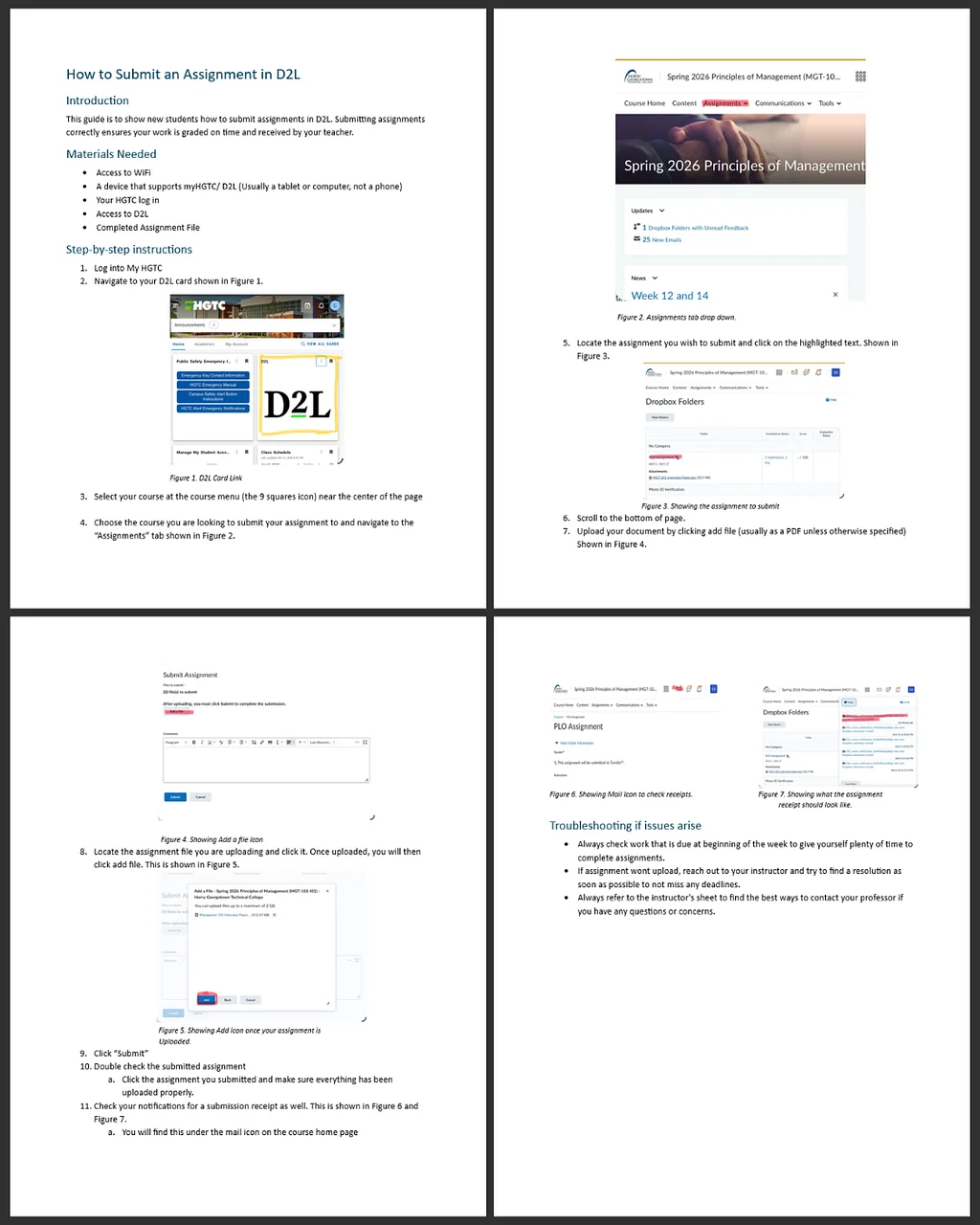
The written assignment focuses on creating a clear, step-by-step set of instructions that guide a user through submitting an assignment in D2L. This includes logging into the platform, navigating to the correct course, locating the assignment folder, uploading the correct file, and confirming submission. The goal is to make the instructions easy to follow for someone who may be unfamiliar with D2L, so clarity, organization, and completeness are important.
Video Instruction on How to Submit Assignments Via D2L
The video demonstrates how to submit an assignment in D2L by guiding viewers through each step in real time. It shows how to log into the platform, navigate to the correct course, locate the assignment submission area, upload a file, and successfully submit the assignment. The video may include screen recordings, voice narration, or captions to make the process easy to understand. Its purpose is to provide a clear, user-friendly tutorial for students who prefer visual learning, reinforcing the written instructions and ensuring they can confidently complete a submission on their own.
Outline for Website Memo Assignment
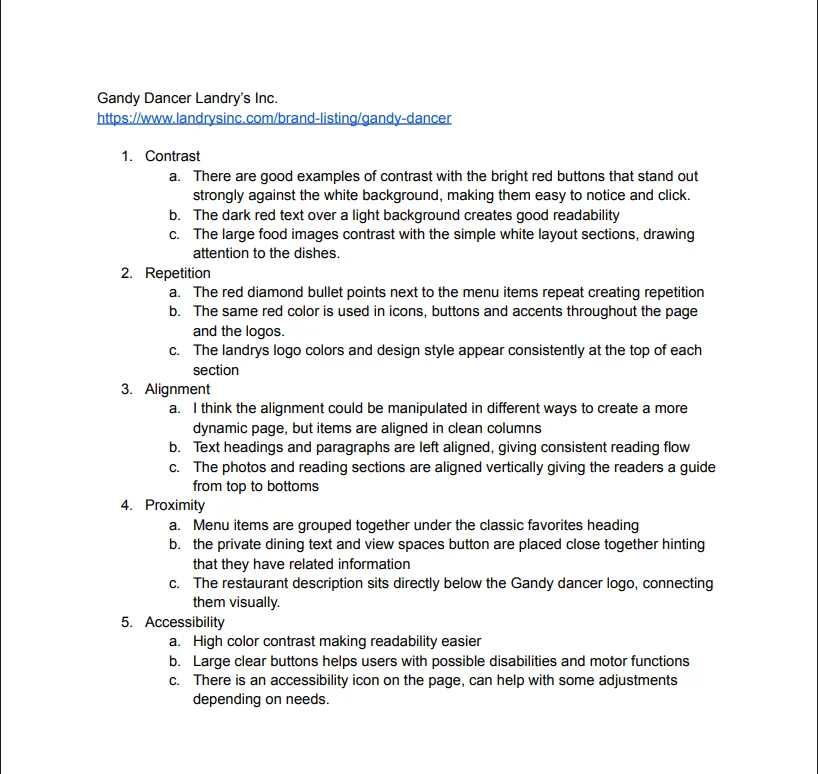
The outline for the website memo analyzes the Gandy Dancer restaurant website using the CRAP design principles: Contrast, Repetition, Alignment, and Proximity. The outline organizes key observations about how the website’s layout and design either support or weaken user experience. It highlights areas such as color choices and visual contrast, consistency of fonts and design elements, alignment of text and images, and how information is grouped for readability. The purpose of the outline is to structure a clear evaluation that will later be expanded into a full memo, focusing on how effectively the website communicates information and how its design could be improved.
Training on Microsoft Word Video Assignment
The short training video assignment demonstrates how to use key features in Microsoft Word. The video provides step-by-step instructions on selected tools and functions, such as formatting text, adjusting headings, inserting elements, wrap text features. It is designed as a beginner-friendly tutorial, using screen recordings and narration or captions to guide viewers through each action. The goal of the video is to help users become more comfortable and efficient with Microsoft Word by showing practical examples of how these features are used in real documents.